How to save videos in Procreate app- quick guide
How to Save Videos in Procreate – Quick Guide
I often get asked how I save videos in the Procreate app, so I decided to create a short guide to avoid repeating the same explanation. Here’s how you can do it:
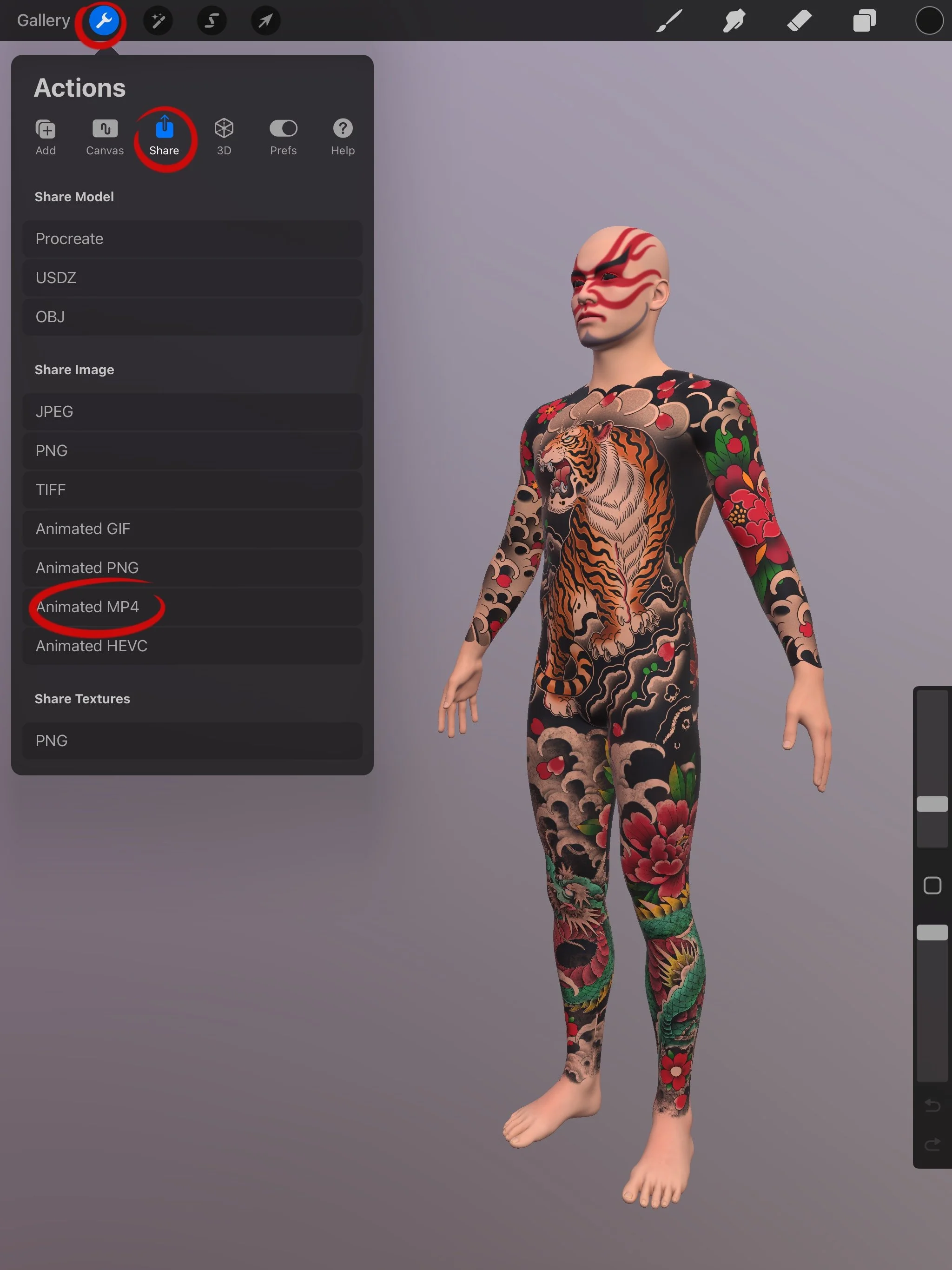
Step 1
Go to Settings > Share > Animated MP4
Step 2
Use these settings:
✔ Resolution: 4K
✔ Animation Style: Animated Rotate
✔ Animation Duration: 5 sec
✔ Zoom Distance: 0%
✔ Ease: 0%
✔ Show Environment: Off
(Turning off the environment allows you to use any custom background later.)
Step 3
Use any video editor to:
🔹 Add your watermark or logo
🔹 Decrease the speed
🔹 Duplicate the video to extend its duration if needed
Let me know if you still need help!
Good luck with your art,
Leri 🤜🌟🤛
P.S. These settings are optimized for our 4K models and may not work with free models.